
Templates
Customizing notebook, script, and project templates
Overview
Framework uses templates to generate new notebooks, scripts, and project files. You can customize these templates to match your workflow.
Using the GUI
The easiest way to edit templates is through the GUI. Run setup() and click Templates in the sidebar:
framework::setup()
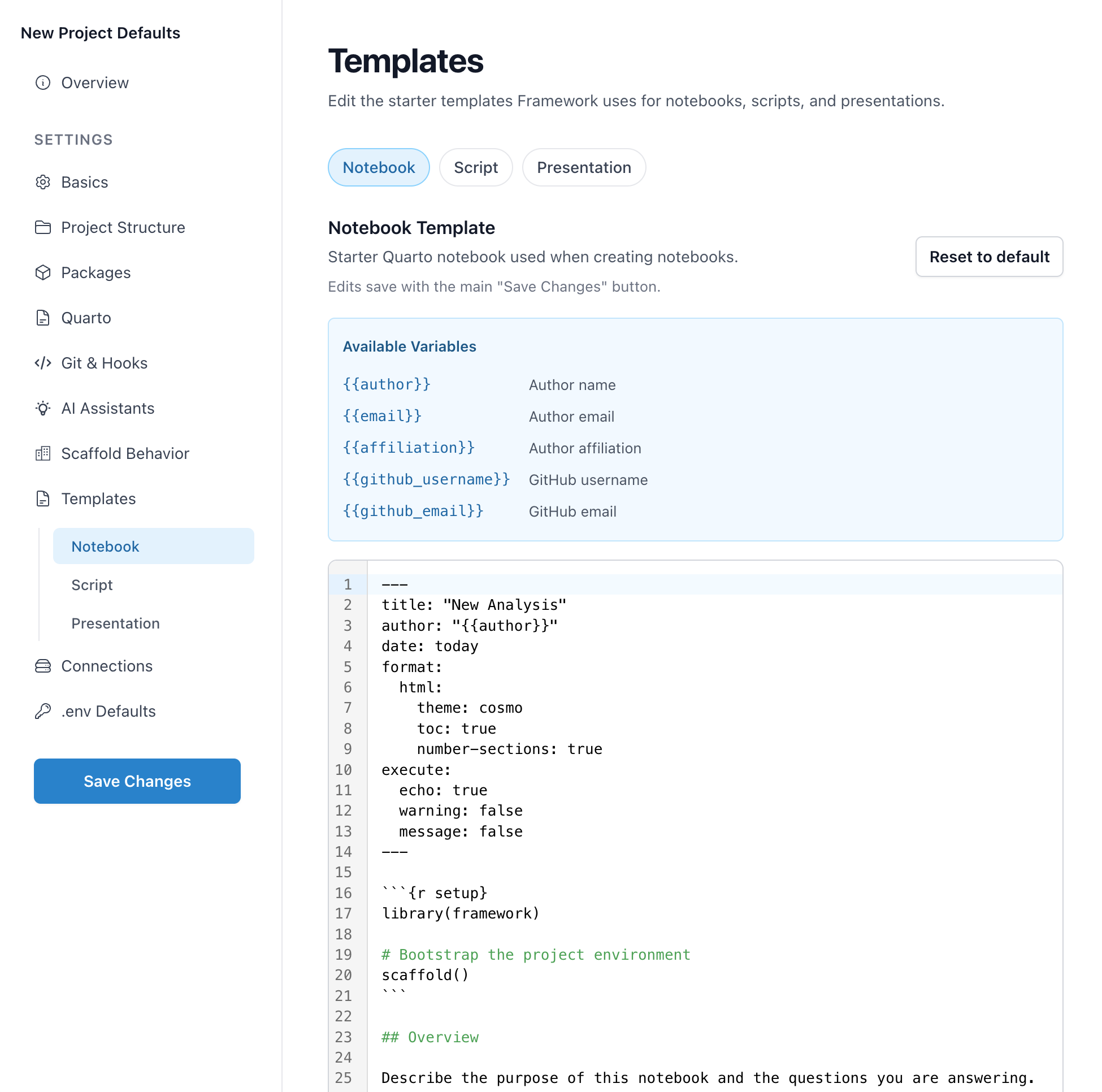
The GUI provides a code editor for each template type with syntax highlighting and a Reset to default button if you want to start over.
Available Variables
Templates support variable substitution. When you create a new file, these placeholders are replaced with actual values:
| Variable | Description |
|---|---|
{{title}} |
File or project title |
{{author}} |
Author name |
{{email}} |
Author email |
{{affiliation}} |
Author affiliation |
{{date}} |
Current date |
{{github_username}} |
GitHub username |
{{github_email}} |
GitHub email |
Template Types
Framework manages several template types:
- notebook: Quarto notebooks (
.qmd) - script: R scripts (
.R) - presentation: RevealJS slides
- gitignore:
.gitignorefiles per project type - ai_canonical: AI assistant instruction files (CLAUDE.md, etc.)
Where Templates Live
Templates are stored in ~/.config/framework/templates/. Framework copies default templates here on first use, then uses your customized versions.
~/.config/framework/
└── templates/
    ├── notebook-default.qmd
    ├── script-default.R
    ├── presentation-default.qmd
    ├── gitignore-project
    ├── gitignore-sensitive
    ├── gitignore-course
    ├── gitignore-presentation
    ├── ai-context.project.md
    ├── ai-context.project_sensitive.md
    └── ai-context.course.md
Customizing Templates
Notebook Template
Edit ~/.config/framework/templates/notebook-default.qmd:
---
title: "{{ title }}"
author: "{{ author }}"
date: "{{ date }}"
format:
  html:
    toc: true
    code-fold: true
---

```{r}
#| label: setup
library(framework)
scaffold()
```

## Overview

Your analysis starts here.
Variables like {{ title }} and {{ author }} are replaced when creating new files. Framework also accepts the compact {{title}} style, so either spacing works in custom templates.
Script Template
Edit ~/.config/framework/templates/script-default.R:
# {{ title }}
# Author: {{ author }}
# Created: {{ date }}

library(framework)
scaffold()

# Your code here
Using Templates
Templates are used automatically when you create new files:
make_notebook("01-exploration")
make_script("process-data")
make_presentation("quarterly-review")
Resetting Templates
To restore a template to its default, delete it from ~/.config/framework/templates/. Framework will recreate it from the default on next use.
You can also use the Reset to default button in the GUI.