
Git Integration
Version control and git hooks in Framework
Overview
Framework automatically initializes git repositories when you create new projects. It also manages commit identity, runs pre-commit hooks for security, and provides helper functions for common git operations.
.gitignore Templates
Framework generates .gitignore files based on project type. Each project type has its own template with sensible defaults for that workflow:
- project: Standard research project ignores
- project_sensitive: Stricter rules for sensitive data
- course: Ignores student submissions, grade files
- presentation: Minimal ignores for slide decks
Customize templates under Project Defaults in the GUI, where each project type has its own .gitignore Patterns section:
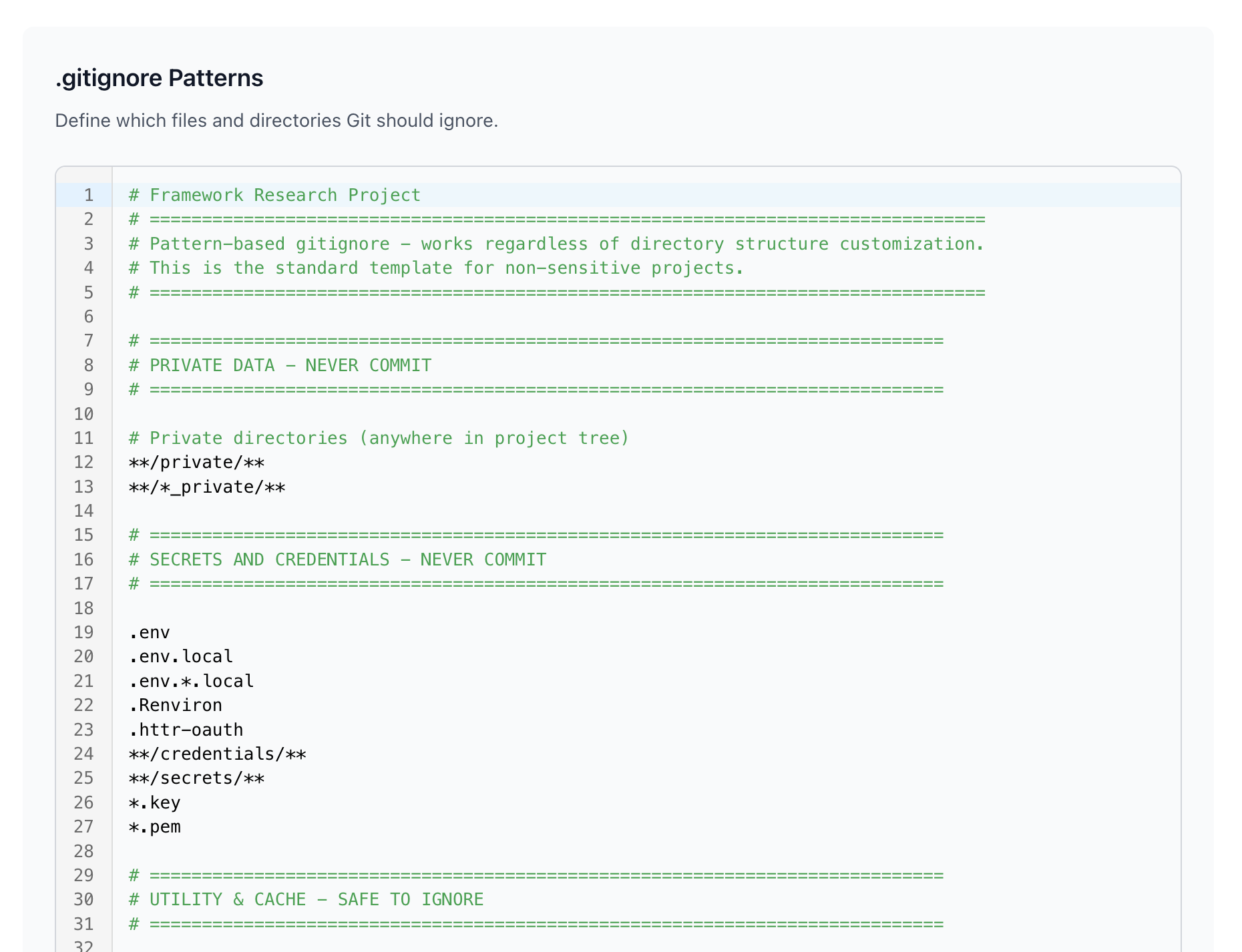
Templates use pattern-based rules that work regardless of your directory structure customization.
Commit Identity, Hooks & Settings
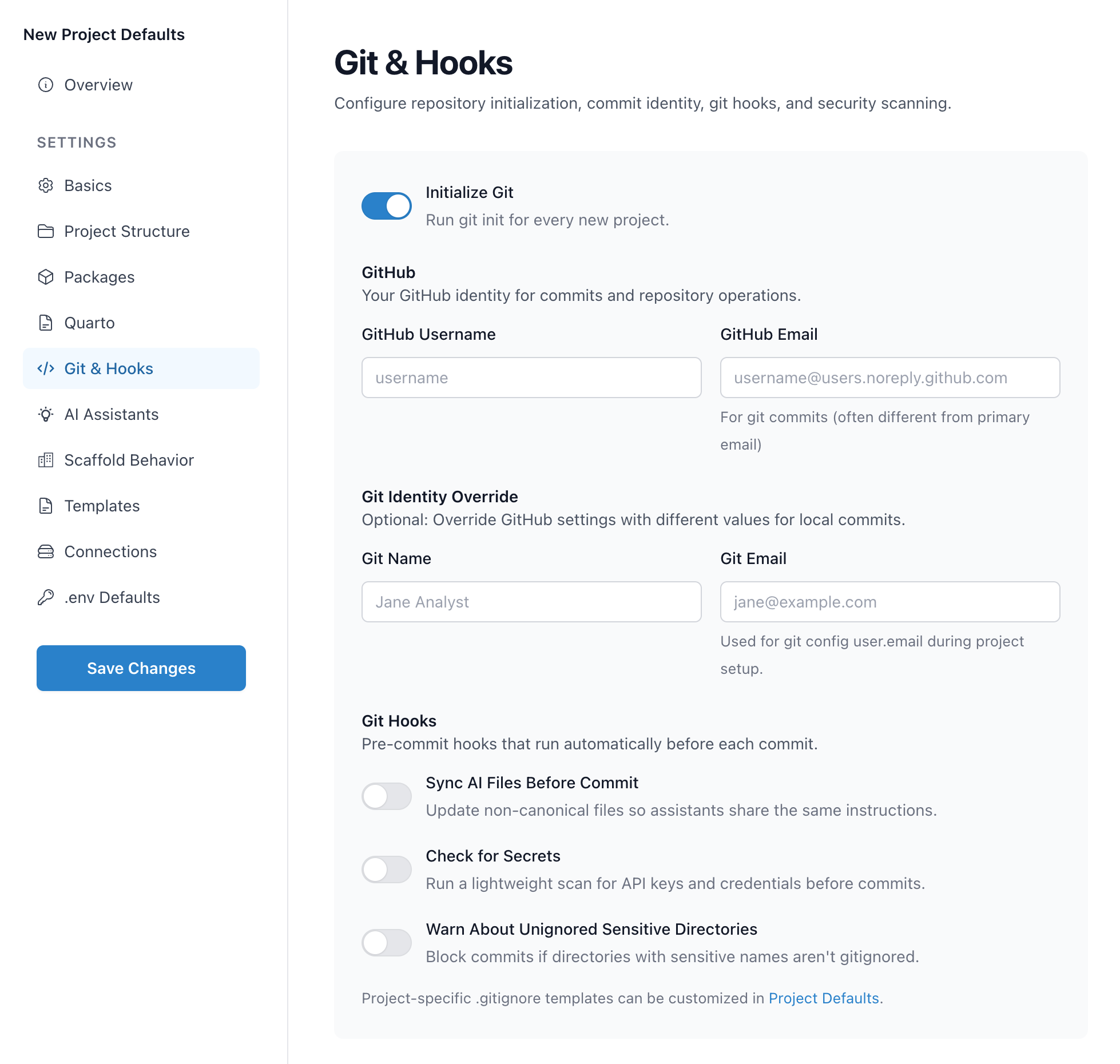
Configure git settings through the GUI by running setup() and clicking Git & Hooks:
framework::setup()
Commit Identity
Framework manages your git identity directly. Configure the name and email you want on commits once in the GUI (or via git config), and Framework reuses that for project initialization. If the identity is missing, Framework skips the initial auto-commit and prints guidance—set user.name and user.email to enable auto-commits.
Git Hooks
Pre-commit hooks run automatically before each commit. Enable them in the GUI or in settings.yml:
git:
  hooks:
    ai_sync: true
    data_security: true
    check_sensitive_dirs: true
Sync AI Files Before Commit: Updates non-canonical AI assistant files so all assistants share the same instructions. If your canonical file is CLAUDE.md, this syncs changes to AGENTS.md and other AI config files.
Check for Secrets: Scans staged files for API keys, credentials, and other secrets before allowing a commit. Helps prevent accidentally committing sensitive data.
Warn About Unignored Sensitive Directories: Blocks commits if directories with sensitive names (like outputs/private/) aren't properly gitignored. Catches misconfigured projects before data leaks. (Alias warn_unignored_sensitive is also accepted.)
Git Helper Functions
Run common git operations from R without leaving your session:
git_status()
git_add()
git_add("file.R")
git_commit("Fix bug")
git_push()
git_pull()
git_diff()
git_log()
Quick workflow:
git_add()
git_commit("Add data cleaning step")
git_push()