
AI Assistants
Configuring AI coding assistants in Framework projects
Overview
Framework generates and maintains context files for AI coding assistants, giving them project-specific knowledge about your Framework environment, data catalog, and directory structure.
Supported Assistants
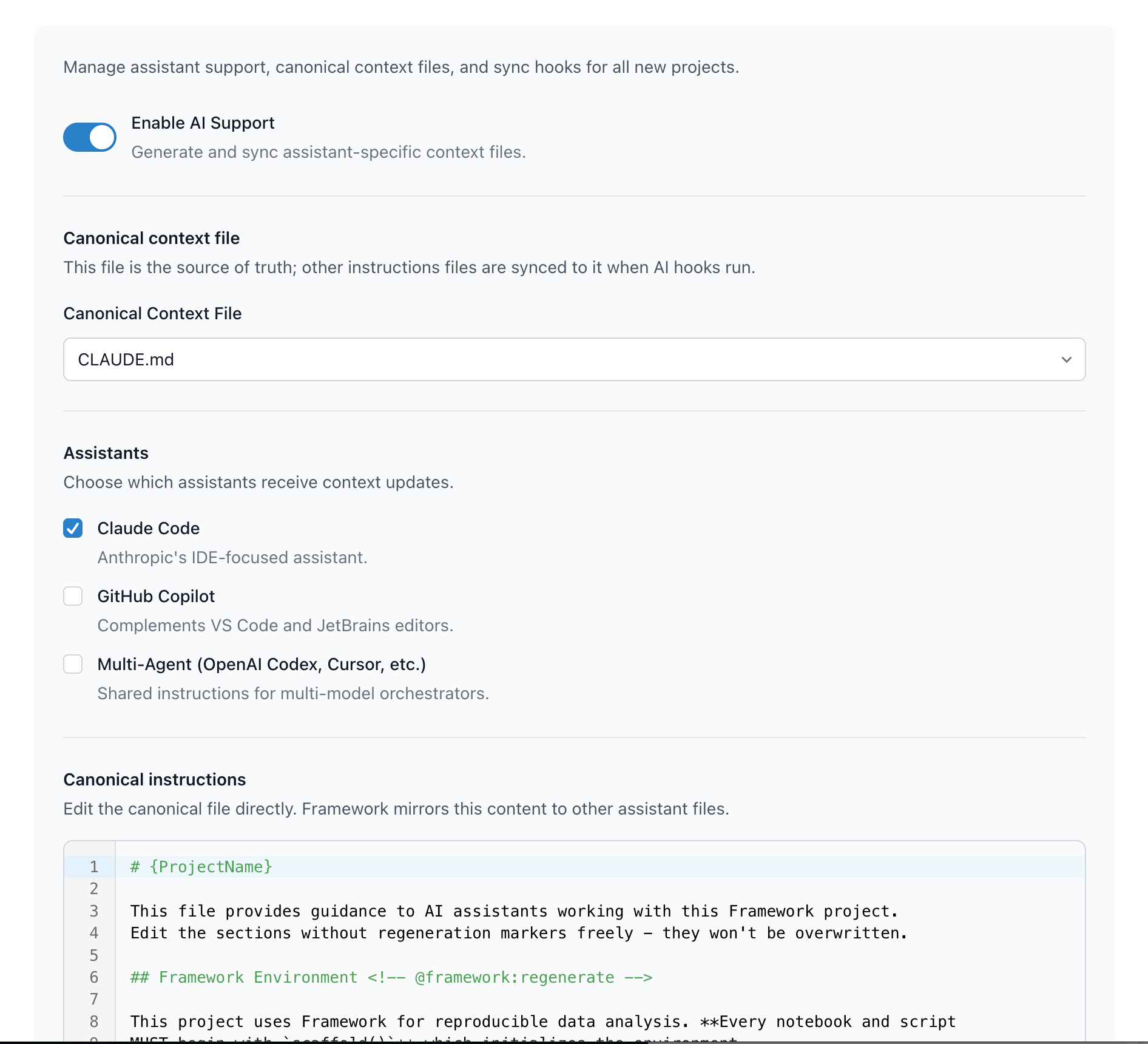
Framework supports three AI assistant configurations:
- Claude Code: Anthropic's IDE-focused assistant (
CLAUDE.md) - GitHub Copilot: Complements VS Code and JetBrains editors (
.github/copilot-instructions.md) - Multi-Agent: Shared instructions for OpenAI Codex, Cursor, and other orchestrators (
AGENTS.md)
Configure which assistants receive context files in the GUI under AI Assistants:
framework::setup()
Canonical Context File
The canonical file is your source of truth. Choose one format as primary—Framework mirrors its content to other assistant files when sync hooks run.
Options: CLAUDE.md, AGENTS.md, or .github/copilot-instructions.md
By default, Framework creates CLAUDE.md even if you haven't listed assistants, so ai_regenerate_context() works immediately. Change the canonical file in settings if you prefer a different file.
Context Templates
Framework provides a default template that gives AI assistants deep knowledge of your project. The template includes:
- Framework conventions and best practices
- Your project's directory structure
- Data catalog entries from
settings.yml - Installed packages and their purposes
- Project-type-specific guidance
Sections marked with @framework:regenerate are automatically updated when your project changes, while your custom notes are preserved.
You can customize the template under Templates in the GUI, but the default is designed to make assistants highly effective with Framework projects out of the box.
Keeping Files in Sync
If you enable multiple assistants, use the Sync AI Files Before Commit hook to keep them synchronized:
git:
  hooks:
    ai_sync: true
When you commit, Framework copies content from your canonical file to the others, ensuring all assistants have identical instructions.
Regenerating Context
Update the auto-generated sections when your project changes:
ai_regenerate_context()
This refreshes directory structure, data catalog entries, and package lists while preserving any custom notes you've added.