
Packages
Managing R packages in Framework projects
Overview
Framework manages your project's R package dependencies through settings.yml. When you call scaffold(), packages are automatically installed and loaded.
Configuring Packages
In your settings.yml, or through Packages in framework::gui(), you can curate the defaults. The GUI lets you search CRAN with autocomplete, and you can switch the source dropdown to GitHub or Bioconductor when you need development builds.
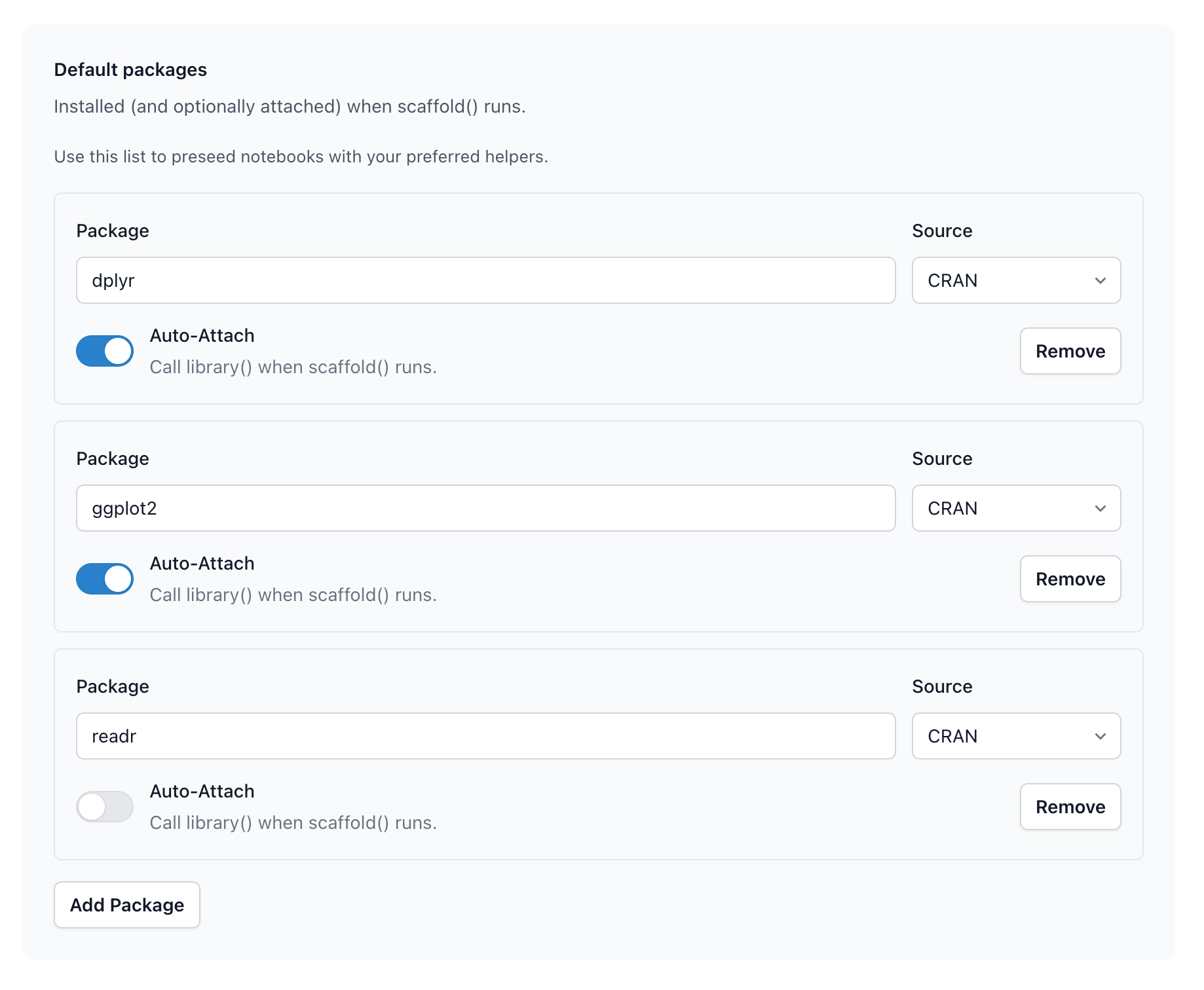
In your settings.yml:
packages:
  - name: dplyr
    auto_attach: true
  - name: ggplot2
    auto_attach: true
  - name: jsonlite
    auto_attach: false
auto_attach
true: package is loaded automatically when you callscaffold()false: package is installed but not loaded (uselibrary()when needed)
How It Works
When scaffold() runs:
- Checks which packages are missing
- Installs missing packages
- Loads packages with
auto_attach: true
You don't need to write library() calls for attached packages.
Version Pinning
Pin specific versions or install from GitHub:
packages:
  - name: dplyr
    version: "1.1.0"
    auto_attach: true

  - name: mypackage
    source: github
    repo: "username/mypackage"
    auto_attach: true

  - name: devpackage
    source: github
    repo: "username/devpackage"
    ref: "develop"
    auto_attach: false
renv Integration
Framework detects if your project uses renv and routes installations through it automatically.
To enable renv in a new project, configure it in your defaults via setup() or enable it per-project:
renv::init()
When renv is active:
- Packages install to the project library
renv.locktracks exact versions- Projects are isolated from your global library