# Set up your environmentlibrary(framework)
scaffold()
# Read in your data
data <-data_read("inputs.raw.survey")
data |>glimpse()
# Publish for the worldpublish_notebook("analysis.qmd", connection ="s3")
Quick start
Getting started is easy.
remotes::install_github("table1/framework")
framework::setup()        # Configure via GUI
framework::new_project()  # Create and start working
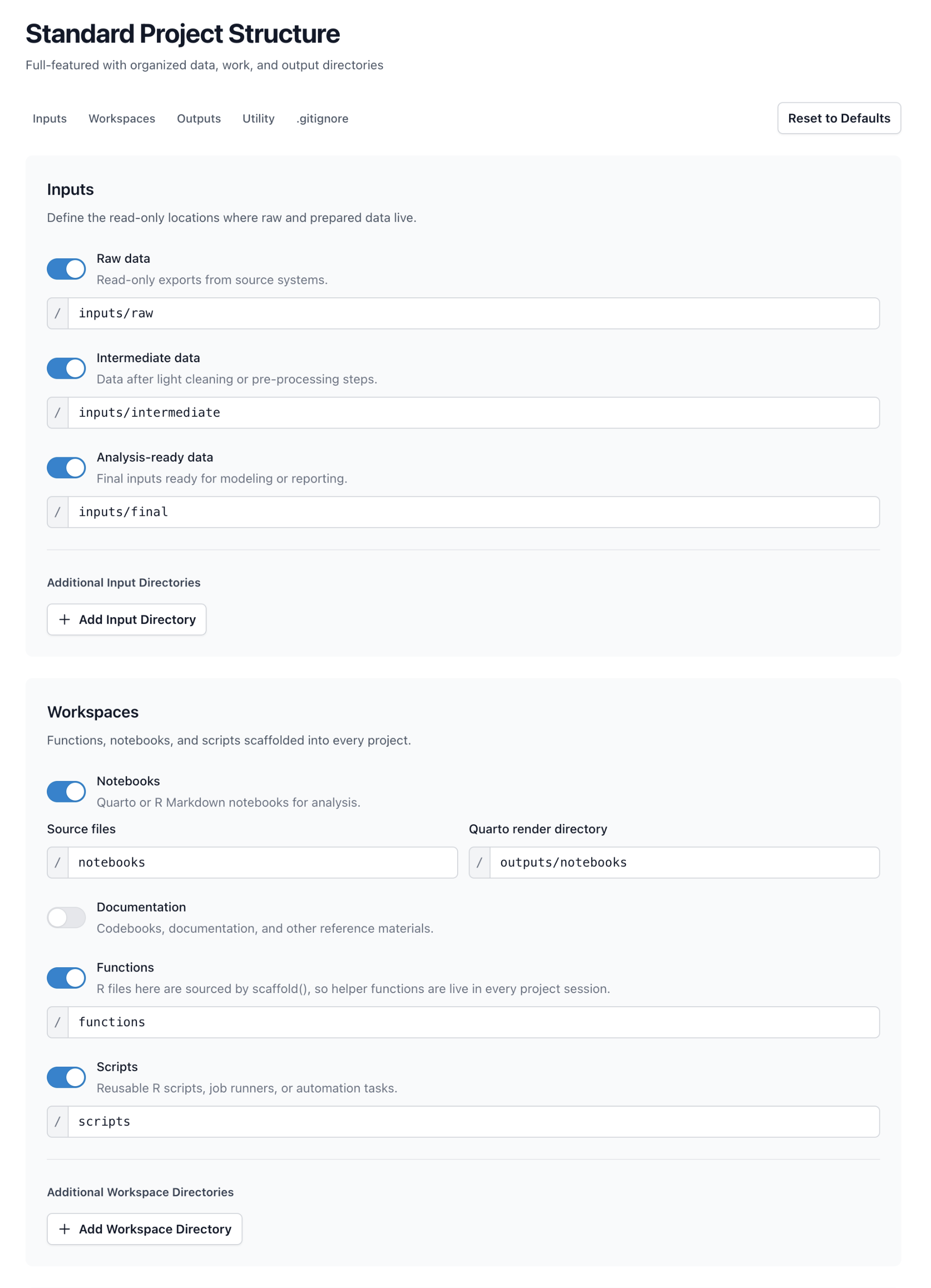
Set default settings once, then spin up new projects without re-thinking organization every time.
library(framework)
scaffold()
# Query your database
con <-connection_get("clinic_db")
patients <-query_get("SELECT * FROM patients", con)
# Fit and save your model
model <-glm(outcome ~ age + treatment, data = patients)
save_model("outcome_model", model)
Helpers
Less boilerplate, more analysis
Databases, S3, caching, and more. Consistent conventions keep your work organized.
Project Templates
Start with structure
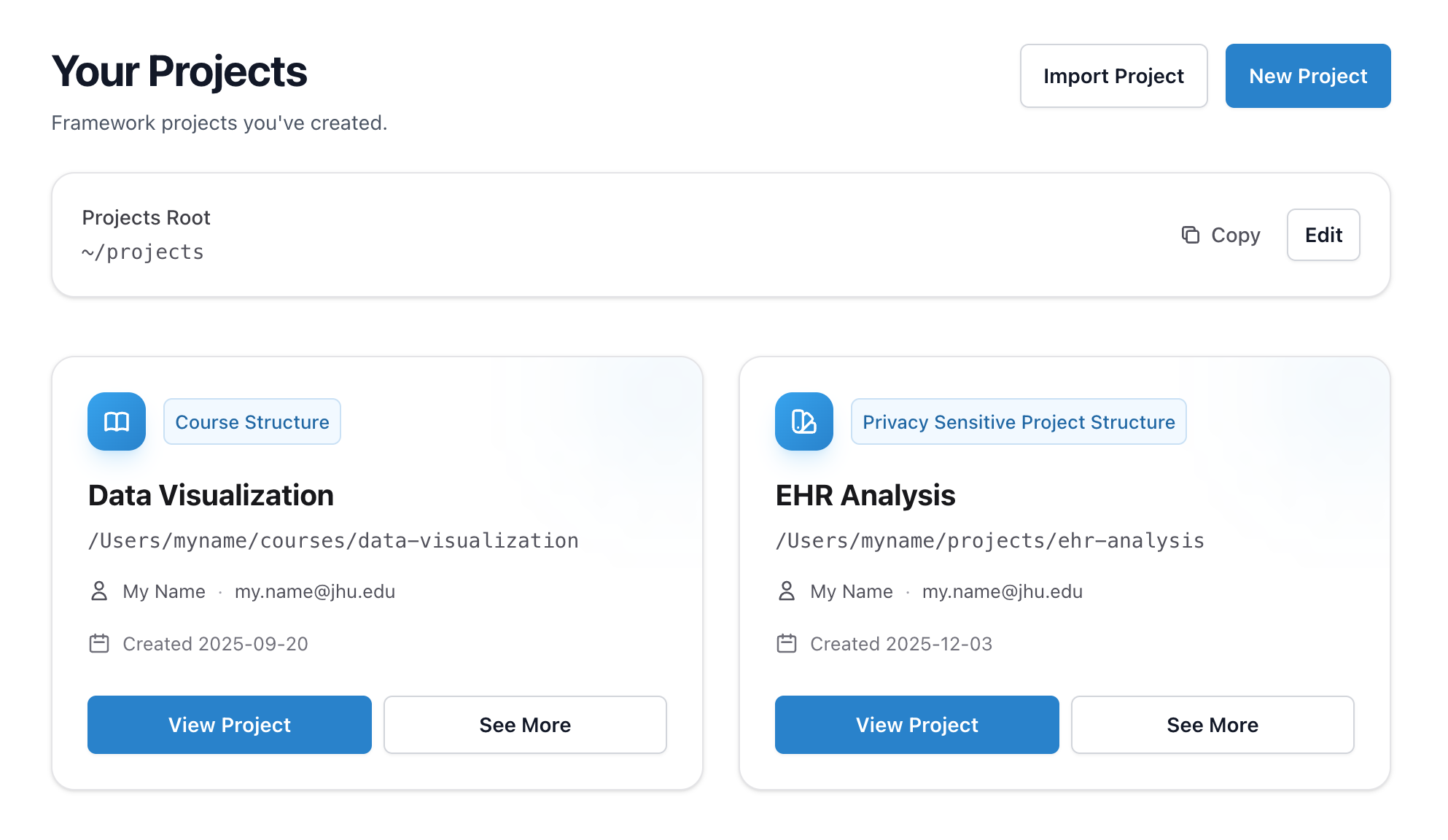
Project types make it easy to do a standard data analysis, set up guardrails for privacy-sensitive work, build a course, or create a presentation. Start with sensible defaults and customize as needed.
Explore Framework
We've all been there. One package becomes four, a simple utility library outgrows itself, and suddenly every notebook starts with 30 lines of boilerplate.
Framework gives you conventions and helpers to keep your project organized and follow best practices without working too hard. Define packages in settings.yml, split functions across files, and track data integrity.
Before
library(dplyr)
library(ggplot2)
library(readr)
library(digest)
# Set up paths
data_dir <-"~/project/data"
out_dir <-"~/project/output"# Source helper functionssource("functions/helpers.R")
source("functions/utils.R")
source("functions/plots.R")
# Load and verify data
df <-read_csv("data/raw/survey.csv")
hash <-digest(df, algo ="md5")
# TODO: check if hash changed?
With Framework
# Load packages from settings.yml# Automatically source files in functions/library(framework)
scaffold()
# Data catalog stored in settings.yml# Get warned or abort if data changes
df <-data_read("inputs.raw.survey")
Different projects have different needs. Framework provides project types with sensible defaults for each use case. Start with a template and customize as needed.
Project
Standard data analysis workflow. Organized directories for inputs, outputs, notebooks, and functions. Ideal for research projects, reports, and exploratory analysis.
Define your data sources once in settings.yml. Framework tracks file paths and metadata. No more guessing which file is current or where it lives.
settings.yml (data section)
data:
# Use nested YAML:inputs:
raw:
survey:
path: inputs/raw/survey.csvdescription: Patient responses# Or use dot notation:inputs.raw.demographics:
path: inputs/raw/demographics.rdslocked: true# abort if changed
Usage
# Read by catalog name
survey <-data_read("inputs.raw.survey")
# List all available datadata_list()
# Save to catalog locationdata_save("inputs.final.analysis_ready", df)
Framework automatically hashes every file you read and stores it in a local SQLite database. Know immediately when source data changes. Lock critical files to abort if modified.
settings.yml (data section)
data:
inputs.raw.demographics:
path: inputs/raw/demographics.rdslocked: true# abort if changed
framework.db
# Hashes stored automatically# Full history of every read# Timestamps, file paths, changes
Usage
# Hash checked on every read
df <-data_read("inputs.raw.demographics")
# If file changed since last read:# - Warning by default# - Abort if locked: true# Or lock inline:
df <-data_read("inputs.raw.survey",
locked =TRUE)
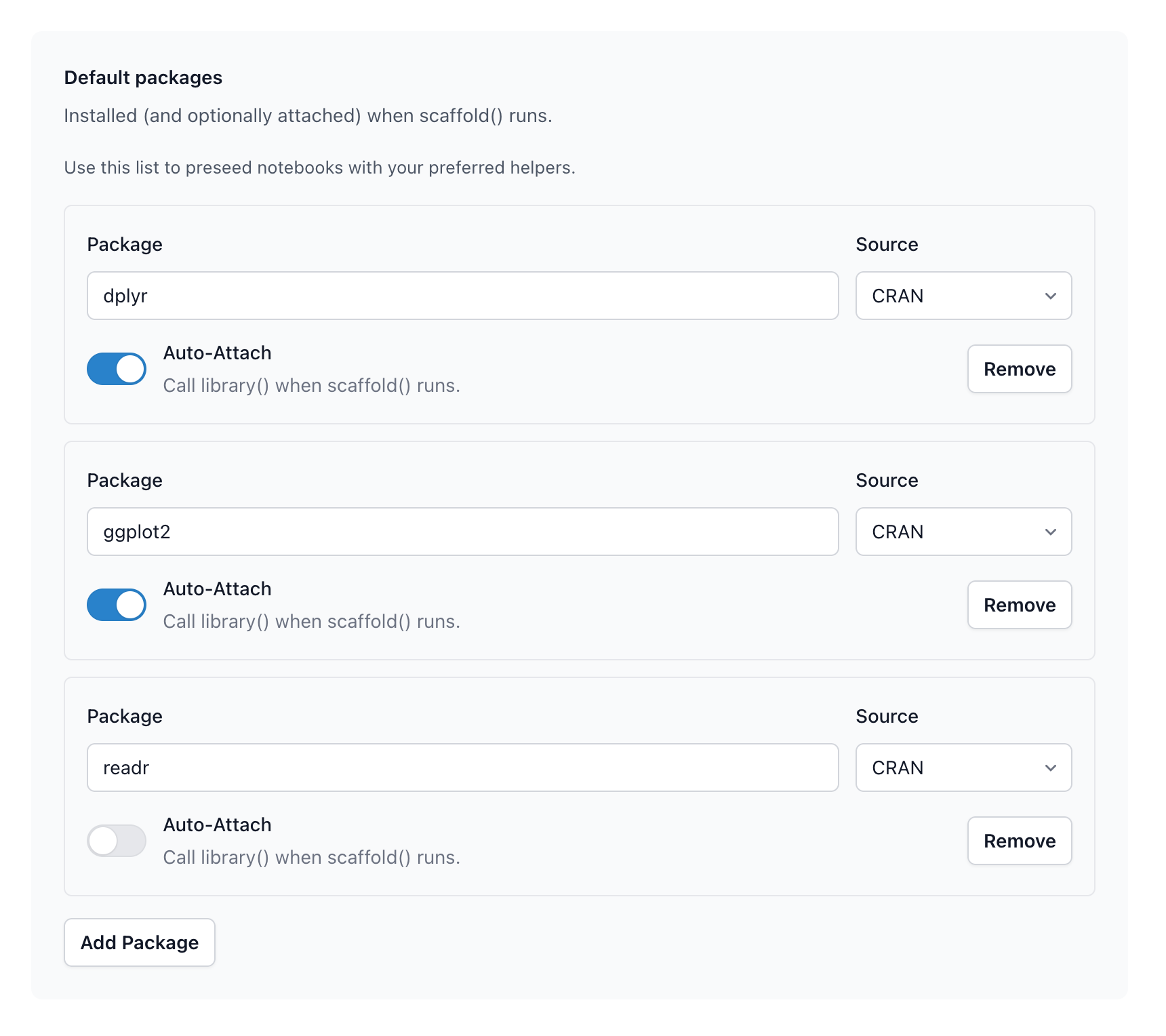
Define your packages in settings.yml. When scaffold() runs, it checks packages are installed and loads attached ones automatically. Non-attached packages stay available via namespacing.
# Checks all packages are installed# Installs missing packages# Calls library() on those auto-attached
framework::scaffold()
# Use auto-attached directly
df |>filter(x >5)
# Use non-attached with namespace
df <- readr::read_csv("data.csv")
Or manage packages in the GUI with framework::gui()
Define connections once in settings/connections.yml. Secrets stay in .env (gitignored). Framework supports SQLite, PostgreSQL, MySQL/MariaDB, SQL Server, and DuckDB.
# Query with auto-disconnect
df <-db_query(
"SELECT * FROM patients",
"patient_db"
)
# Execute statementsdb_execute(
"DELETE FROM cache WHERE expired",
"patient_db"
)
# Manual connection if needed
con <-db_connect("patient_db")
DBI::dbListTables(con)
DBI::dbDisconnect(con)
SQLitePostgreSQLMySQLMariaDBSQL ServerDuckDB
No more renv headaches. Enable with one command, pin versions in settings/packages.yml, and Framework handles the rest. It suppresses the constant nag messages, manages init/snapshot/restore, and keeps your lockfile in sync.
# Enable renv (once per project)renv_enable()
# scaffold() installs pinned versions# and attaches packages automaticallyscaffold()
# Lock current statepackages_snapshot()
# Restore on another machinepackages_restore()
Framework integrates seamlessly with S3 and S3-compatible object storage for sharing notebooks. Configure credentials globally once, then easily add them to each project. Share your work with peers in one command.
# Render and publish in one steppublish_notebook("analysis.qmd")
# Or publish to a specific connectionpublish_notebook(
"analysis.qmd",
connection ="public_docs"
)
AWS S3Cloudflare R2MinIODigitalOcean Spaces
Configure Quarto rendering once in settings. No more fiddling with code folding, embed_resources, or output paths. Templates can be customized globally so make_notebook() spins up your preferred boilerplate instantly.
# Create from your templatemake_notebook("analysis")
# → notebooks/analysis.qmd# Create a scriptmake_script("etl")
# → scripts/etl.R# Renders go to predictable places# → outputs/notebooks/analysis.html
Custom templates. Run stubs_publish() to copy stubs to your project's stubs/ directory, then edit them. make_notebook() and make_script() use your custom stubs automatically.
Stop re-running expensive computations. Framework's caching system stores results with automatic expiration and hash verification. Cache anything from API responses to model outputs, and let Framework handle invalidation.
Cache expensive operations
# Fetch from cache or compute
result <-cache_remember("api_response", {
httr2::request(url) |>req_perform() |>resp_body_json()
}, expire ="1 hour")
# Cache model training results
model <-cache_remember("trained_model", {
train_model(data)
}, expire ="7 days")
Cache management
# List all caches with expiry timescache_list()
# Read from cache (NULL if missing)cache_get("api_response")
# Write directly to cachecache("my_data", processed_df)
# Clear specific cachecache_forget("stale_data")
# Clear all cachescache_flush()
Automatic expirationHash verificationTracked in framework.db
AI coding assistants work best with context. Framework sets up context files to guide LLMs about your project structure, conventions, and data locations. Pick your canonical file, and git hooks copy it to the others on commit.
settings.yml
ai:
# Edit this one, others sync on commitcanonical_file: CLAUDE.mdgit:
hooks:
ai_sync: true
Git hooks for sync
# Install git hooksgit_hooks_install()
# On commit:# 1. Reads CLAUDE.md (canonical)# 2. Copies to AGENTS.md, COPILOT.md# 3. All files stay in sync# Edit once, commit, done.
One source of truth. Edit your canonical file (e.g., CLAUDE.md), and Framework's git hooks copy it to the others on commit. No more keeping multiple context files in sync manually.
No more googling "R gitignore file". Framework generates gitignores custom-crafted for each project type, with your directory settings dynamically included. Sensitive data directories are automatically excluded.
Auto-generated .gitignore
# Framework-generated .gitignore# Private data directoriesinputs/raw/inputs/intermediate/outputs/private/# Environment secrets.env.env.local# R artifacts.Rhistory.RData*.Rproj.user/
Security audit
# Check for accidental exposuregit_security_audit()
# Returns warnings for:# - Tracked files in private dirs# - .env files in history# - Credentials in config# - Large data files committed